

 My Account
ID Card & Plastic Card Printers: Print Photo ID, Staff, Membership & Access Cards In-House
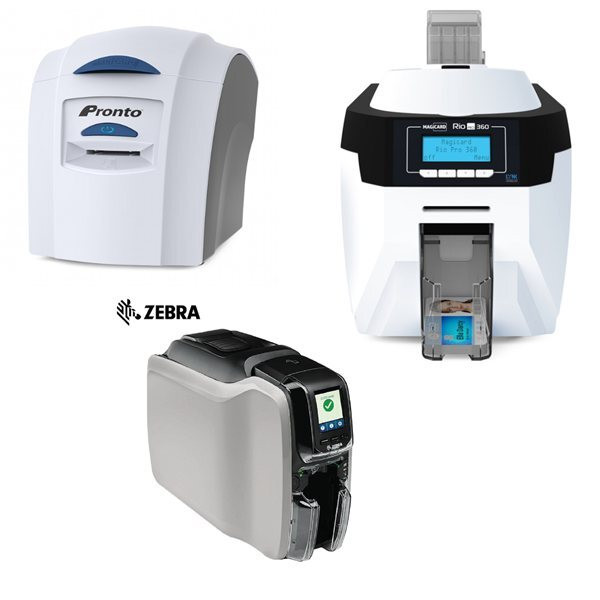
An ID card printer (also called a plastic card printer or PVC card printer) prints full-colour or monochrome images, text, barcodes and security features directly onto standard CR80 plastic cards. Printing in-house lets schools, workplaces, gyms, clubs and service bureaus issue professional cards on demand, with no minimum order and no waiting on an outside supplier. POS Plaza stocks ID card printers from the leading brands, including Zebra, Magicard, Evolis and Matica, from compact desktop units up to high-volume retransfer machines, starting from $1,649.
Whether you need staff and student photo ID, membership and loyalty cards, visitor and access-control passes, gift cards or club cards, there is a printer here to match your card volume, finish and security requirements.
ID card printer vs plastic card printer: are they the same thing?
Yes. "ID card printer", "plastic card printer" and "PVC card printer" all describe the same type of machine, a direct card printer that prints onto rigid plastic cards. The "ID card" name is used when the cards carry a photo and identity details, while "plastic" or "PVC card printer" is the term people use for membership, loyalty, gift and access cards. The hardware is identical, so any printer on this page can produce all of these card types.
Single-sided or dual-sided: which do you need?
- Single-sided (simplex): prints the front of the card only. Ideal for staff IDs, student cards, visitor passes and simple membership cards. Examples: Zebra ZC300, Magicard Rio Pro 360 Single Sided, Evolis Primacy 2 Simplex.
- Dual-sided (duplex): prints both sides in one pass, so you can add terms, a barcode, a magnetic stripe explainer or extra branding to the back. Ideal for access cards and detailed IDs. Examples: Magicard 300 Dual-Sided, Magicard 600 Double-Sided, Matica XID8300 Double Sided.
Direct-to-card vs retransfer printing
- Direct-to-card (dye sublimation): the most common and cost-effective method. The printhead prints straight onto the card surface, giving sharp, professional results for the vast majority of ID and membership cards.
- Retransfer (over-the-edge): prints onto a clear film that is then fused to the card, producing edge-to-edge, photo-quality cards and printing cleanly onto technology cards (smartcards, proximity/access cards) with uneven surfaces. Choose retransfer for the highest finish and security. Examples: Zebra ZXP7, Magicard Ultima, Matica XID8300 / XID8600.
How to choose an ID card printer
- Card volume: for a few cards a week, a desktop printer such as the Magicard Pronto or Evolis Zenius is ideal. For hundreds of cards or bureau-style output, step up to a Magicard 600, Zebra ZC300 or a Matica retransfer printer.
- Print resolution: most printers print at 300dpi, which suits standard photo ID. For fine text, small logos and high-security artwork, choose a 600dpi model such as the Magicard 600.
- Encoding: if your cards need to open doors or store data, choose a model with a magnetic stripe and/or smartcard encoder, such as the Zebra ZC300 with Mag Encoder. This lets the printer write the card and print it in one step.
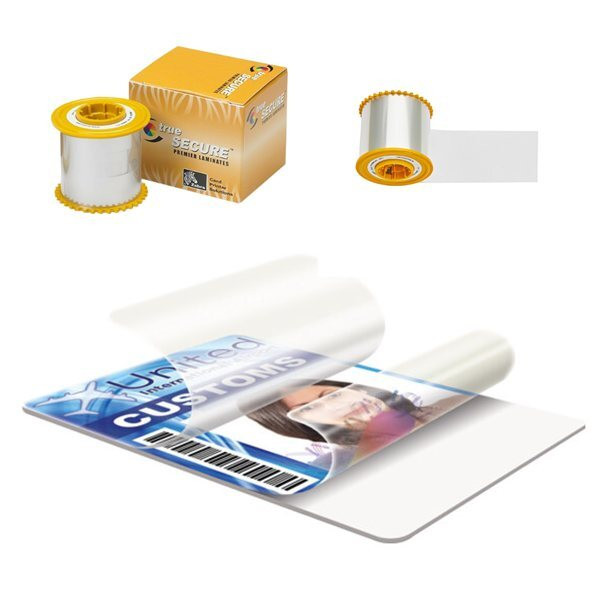
- Security and durability: add a HoloKote watermark (Magicard), tamper features, or a laminate/clear overlay for cards that take daily wear, such as access passes and transport cards.
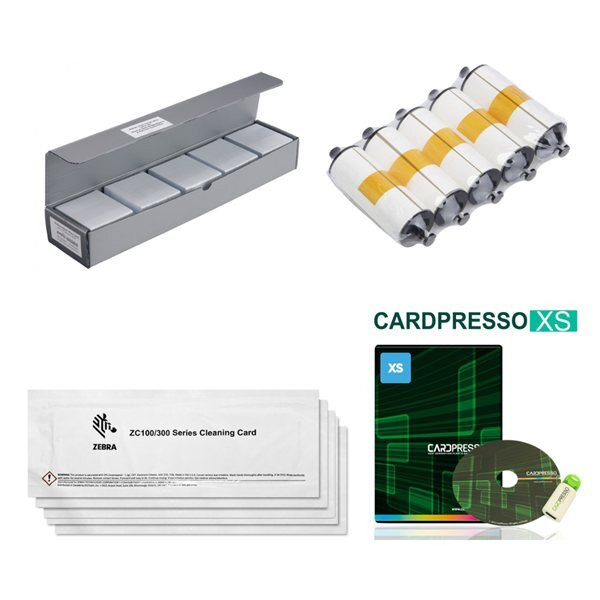
- Software: pair the printer with card-design software (for example CardPresso or Card Exchange) to manage photos, databases and batch printing.
Which brands do you stock?
- Zebra: the popular ZC300 (single-sided, and with magnetic stripe encoder) and the ZXP7 retransfer range for premium, edge-to-edge cards.
- Magicard: the entry-level Pronto, the dual-sided 300, the 600dpi 600 series, the Rio Pro 360 and the Ultima retransfer printer, all with built-in HoloKote security.
- Evolis: the compact Zenius and the Primacy 2 range (simplex and duplex) for reliable everyday card issuance.
- Matica: the EDIsecure XID8300 and XID8600 retransfer printers for the highest-volume, highest-security bureau work.
What else you need to print cards
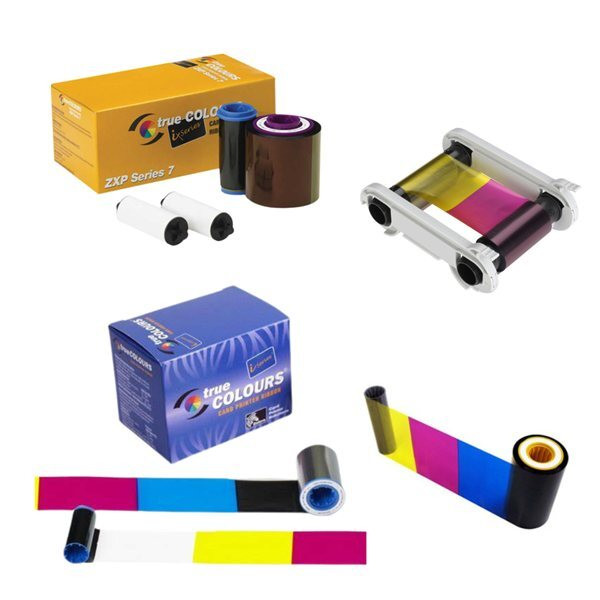
An ID card printer is a complete system made up of three consumables, all available from POS Plaza so you can reorder in one place:
- Ribbons: colour (YMCKO/YMCKOK) ribbons for full-colour cards, or monochrome ribbons for single-colour text. Each ribbon is rated for a set number of prints.
- Blank cards: standard CR80 PVC cards, plus magnetic stripe, signature-panel and smartcard options.
- Laminates and cleaning kits: clear or holographic overlays for durability and security, and cleaning kits to keep the printhead in good condition.
Where ID and plastic card printers are used
- Workplaces: staff photo ID and access-control badges.
- Schools and universities: student and staff ID cards, printed on demand at enrolment.
- Gyms, clubs and associations: membership and loyalty cards with logos and barcodes.
- Retail and hospitality: gift cards, VIP and loyalty cards.
- Events and visitor management: passes, accreditation and temporary access cards.
Frequently asked questions: ID & plastic card printers
Q: What is the difference between an ID card printer and a plastic card printer?
A: There is no difference in the hardware. "ID card printer", "plastic card printer" and "PVC card printer" all refer to a direct card printer that prints onto rigid plastic cards. The "ID card" name is simply used for cards with a photo and identity details, while "plastic/PVC card printer" is the term for membership, loyalty, gift and access cards. Any printer on this page can print all of them.
Q: Do I need a single-sided or dual-sided printer?
A: Choose single-sided if you only print the front of the card (most staff and student IDs). Choose dual-sided if you want to print the back as well, for example terms and conditions, a barcode or extra branding on access and membership cards. A dual-sided printer prints both sides automatically in one pass.
Q: What do I need to start printing cards?
A: Three things beyond the printer: a ribbon (colour or monochrome), blank PVC cards, and card-design software. Many printers are sold as starter kits that include a ribbon and a pack of cards so you can print straight out of the box.
Q: Can these printers add a magnetic stripe or smartcard chip?
A: Yes, if you choose a model with the matching encoder, such as the Zebra ZC300 with Mag Encoder. The printer writes the magnetic stripe or smartcard and prints the artwork in the same step, so the card is ready to use for access control or membership.
Q: What is retransfer printing and do I need it?
A: Retransfer printers (Zebra ZXP7, Magicard Ultima, Matica XID series) print onto a clear film that is then fused to the card, giving true edge-to-edge, photo-quality results and clean printing on smartcards and proximity cards. Choose retransfer for the highest finish and security; for everyday IDs, a standard direct-to-card printer is more economical.
Q: How much does an ID card printer cost?
A: At POS Plaza, ID card printers start from $1,649 for a desktop single-sided model and rise with speed, dual-sided printing, 600dpi resolution and retransfer security. Tell us your card volume and whether you need encoding, and we will recommend the right model. Call our team on 1300 115 808.
Q: Which brand of ID card printer is best?
A: All four brands we stock are well supported in Australia. Magicard and Evolis offer excellent value and built-in security for schools and businesses; Zebra is a strong all-rounder with encoding options; and Matica retransfer printers suit high-volume, high-security bureau work. The best choice depends on your card volume, finish and budget.