

 My Account
Kitchen Printer vs Receipt Printer: What's the Difference?
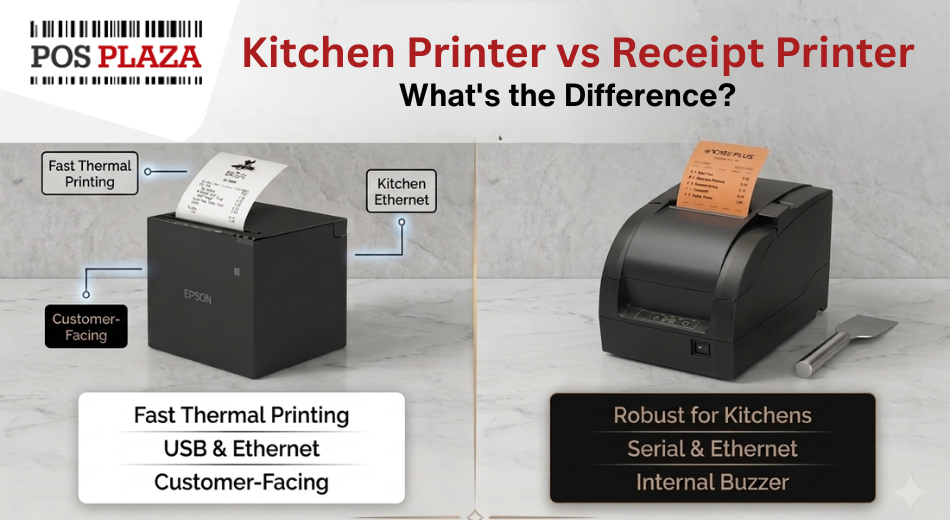
When you are kitting out a cafe or restaurant, you will see two kinds of printers come up: a receipt printer for the counter, and a kitchen printer for the back. They look similar, and both spit out paper, so a lot of people try to use one printer for both jobs. That usually ends in faded dockets and a frustrated kitchen. Here is why they are different, and how to choose the right one for each spot.
The receipt printer at the counter
A receipt printer is the one customers see. It prints the receipt at the point of sale, and it is almost always a thermal printer. Thermal means no ink and no ribbon, just heat-sensitive paper, so it is fast, quiet and cheap to run. That is exactly what you want at a busy counter.
For most venues an 80mm thermal model does the job. You can see the range on our thermal receipt printers page.
The kitchen printer at the pass
A kitchen printer prints the order docket so the kitchen knows what to make. Its job sounds the same, but the environment is completely different. Kitchens are hot, steamy and greasy, and that is a problem for thermal paper, which darkens and fades when it gets warm. A thermal docket can come out half-cooked or go unreadable within minutes near a grill.
That is why a lot of kitchens use an impact (dot matrix) printer instead. An impact printer uses a small ribbon to physically stamp the ink onto the paper, so heat does not wreck it. It is tougher, it copes with the conditions, and many models can print in red as well as black to flag special items. The classic choice here is the Epson TM-U220 series. Browse the options on our kitchen printers and impact / dot matrix pages.
The other handy differences
- Noise. Impact printers are louder, which is actually useful in a kitchen. Staff can hear a new order land over the noise.
- A buzzer. Many kitchen printers have a buzzer or take an external bell so an order is never missed.
- Colour. Two-colour printing (black and red) lets you make allergy notes or rush orders stand out.
- Running cost. Impact printers need a ribbon now and then, where thermal printers only need paper. You can pick up ribbons and ink with your printer.
A quick comparison
| Receipt printer (thermal) | Kitchen printer (impact) | |
|---|---|---|
| Where it goes | Front counter | Kitchen or pass |
| How it prints | Heat on thermal paper | Ribbon stamps the ink |
| Copes with heat and steam | No, paper fades | Yes |
| Speed and noise | Fast and quiet | Slower and louder |
| Colour | Black only | Black and red |
| Running cost | Paper only | Paper and ribbon |
Do you need both?
If you run table service or take orders that go to a kitchen, yes, you usually want both: a thermal receipt printer at the counter and an impact printer at the pass. A small takeaway with a single counter might get by with just a receipt printer. If you are sending orders to more than one station, such as a kitchen and a bar, you may want a printer at each.
Frequently asked questions
Can I use a normal receipt printer in the kitchen?
You can, but it is not ideal. Thermal dockets fade in heat and steam, so they can become hard to read fast. An impact printer holds up much better in a kitchen.
Why are kitchen printers usually impact and not thermal?
Because impact printers stamp ink with a ribbon instead of using heat, so the print survives the hot, greasy conditions near a grill or fryer.
What is the red printing for?
Two-colour kitchen printers use red to highlight things the kitchen needs to notice, like an allergy note, a change to a dish, or a rush order.
Will a kitchen printer work with my POS software?
Most kitchen printers connect over your network (LAN), which suits iPad and cloud POS systems. Check your software's supported list, or call us and we will confirm the right model.
What does a kitchen printer cost?
Impact kitchen printers generally sit in a similar range to receipt printers. The bigger factor is the connection type you need. See current pricing on our receipt printers section.
Setting up a venue? We can help
Tell us how your cafe or restaurant runs and we will help you put the right printers in the right spots, with the cabling and paper to match. Call 1300 115 808 or email sales@posplaza.com.au. We ship Australia-wide and keep local stock.