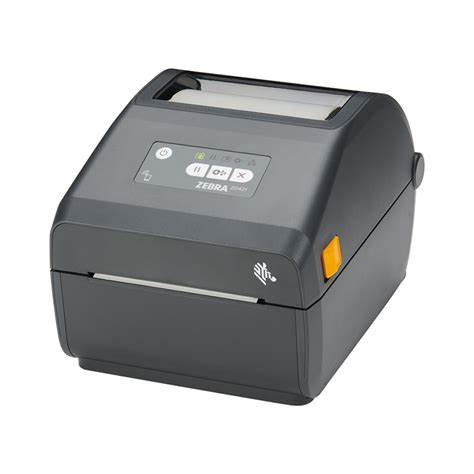
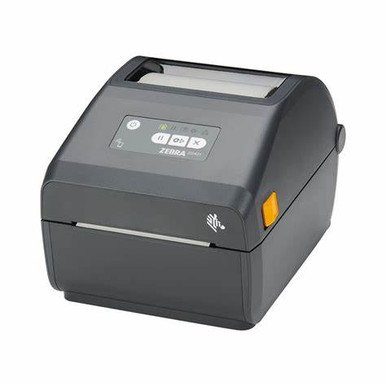
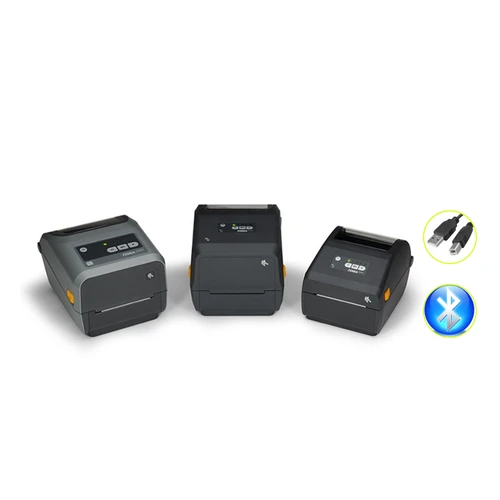
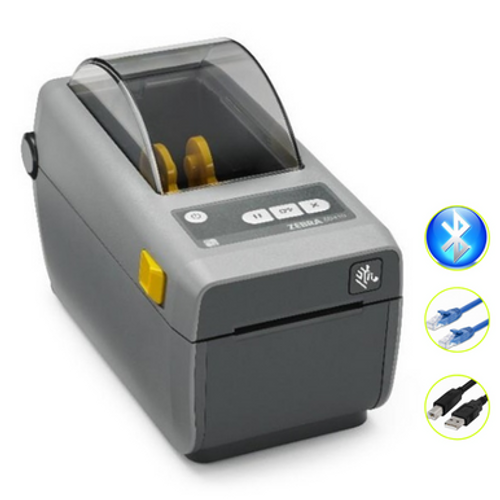
Zebra ZD421 Direct Thermal Label Printer (Bluetooth, Ethernet, USB)
A current-generation 4-inch desktop label printer that prints crisp labels with no ribbon, featuring Bluetooth, Ethernet and USB plus a modular connectivity slot so it grows with your business.
About the Zebra ZD421
At a glance
Print methodDirect thermal
Print speedUp to 152mm/s (6 ips)
Resolution203 dpi
Max print width104mm (4.09 in)
InterfacesBluetooth, Ethernet, USB
LanguagesZPL & EPL
SoftwarePrint DNA, Link-OS
Warranty24 Months Return to Base
The Zebra ZD421 is the current-generation 4-inch desktop label printer in Zebra's popular ZD400 series, and the modern replacement for Zebra's older GK series printers. This is the direct thermal model with Bluetooth, Ethernet and USB, which prints using heat-sensitive label stock and needs no ribbon, keeping running costs low and setup simple.
It prints clear text, barcodes and logos at 203 dpi and up to 152mm (6 inches) per second, across labels up to 104mm wide. Zebra's OpenAccess design makes media loading quick and jam-free, while dual media sensors handle a wide range of label and tag stock. It speaks both ZPL and EPL, so it drops straight into existing Zebra label formats and barcode software.
What sets the ZD421 apart is its modular connectivity slot, which lets you add or change interfaces later so the printer keeps pace with your needs. It runs the Print DNA software suite with PrintSecure and Link-OS for easier setup, management and security, is ENERGY STAR qualified, and is backed by a 24 Months Return to Base warranty.
Why choose the Zebra ZD421
No ribbon needed Direct thermal printing means labels only, for the lowest running cost and simplest setup.
Crisp 203 dpi Sharp text, logos and scannable 1D and 2D barcodes on every label.
Fast 6 ips Prints up to 152mm (6 inches) per second to keep busy labelling moving.
Modular slot Add or change interfaces later for a genuinely future-proof printer investment.
Triple connectivity Bluetooth, Ethernet and USB built in, so it fits networked and standalone setups.
Print DNA & secure The Print DNA suite with PrintSecure simplifies setup, management and security.
Where the ZD421 fits
Retail & office
Print product, price, shelf and shipping labels on demand for shops, stockrooms and back office.
Warehouse & logistics
Produce barcode, carton and despatch labels quickly across networked workstations.
Healthcare labelling
Print patient, specimen and asset labels where clean, reliable, networked printing matters.
How the ZD421 compares
The ZD421 is the newer, modular successor to Zebra's ZD420 and the older GK420, so you gain the modular connectivity slot, Print DNA software and current Link-OS platform in a familiar 4-inch desktop format. Its closest sibling is the Zebra ZD421 Thermal Transfer model, which uses a ribbon plus label stock to print durable, long-life labels that resist fading. Both share the same 203 dpi resolution, 6 ips speed, 104mm print width, modular slot and Print DNA software, so the choice comes down to label durability and running cost: choose this ZD421 Direct Thermal model for low-cost, short-to-medium-life labels with no ribbon, or the Thermal Transfer model for hard-wearing, long-life labels. If you need more speed and an optional display, the Zebra ZD620 is the premium step-up at up to 8 ips.
Direct thermal label rolls are sold separately so you can match the media to your application.
Zebra ZD421 FAQ
What is the difference between the ZD421 Direct Thermal and Thermal Transfer?
The Direct Thermal model prints using heat-sensitive label stock with no ribbon, which keeps running costs low and suits short-to-medium-life labels. The Thermal Transfer model uses a ribbon plus labels to produce durable, long-life prints that resist fading. Both share 203 dpi, 6 ips, a 104mm print width, the modular connectivity slot and Print DNA software, so the choice comes down to label durability and running cost.
Does the ZD421 Direct Thermal need a ribbon?
No. As a direct thermal printer it prints onto heat-sensitive label stock and needs no ribbon, so you only buy label rolls. This makes it simple to run and ideal for short-to-medium-life labels such as shipping, retail and barcode labels.
How is the ZD421 different from the older ZD420?
The ZD421 is the newer-generation update to the ZD420 and the modern replacement for Zebra's GK420. It keeps the familiar 4-inch desktop format while adding the modular connectivity slot, the current Print DNA software suite with PrintSecure, and the Link-OS platform for easier setup, management and security.
How does it connect?
This ZD421 has Bluetooth, Ethernet and USB built in, so it works as a networked or standalone printer. Its modular connectivity slot also lets you add or change interfaces later, so the printer can adapt as your setup changes.
What size labels can it print?
It prints labels up to 104mm (4.09 in.) wide at 203 dpi, making it a true 4-inch desktop label printer suitable for shipping, product, barcode and asset labels.
Can it print barcodes?
Yes. At 203 dpi it prints crisp, scannable 1D and 2D barcodes, along with text and logos, on standard direct thermal label stock.
Is it suitable for high-volume label printing?
The ZD421 handles low-to-medium label volumes comfortably across retail, office, warehouse and healthcare use. If you need more speed or an optional display for heavier daily duty cycles, the Zebra ZD620 is the step up at up to 8 ips.
What warranty does it come with?
The Zebra ZD421 is backed by a 24 Months Return to Base warranty. If you have any questions about setup or media, contact our team on 1300 115 808.
Summary
Summary
The Zebra ZD421 is the current-generation 4-inch direct thermal desktop label printer for Australian retail, office, warehouse and healthcare use, supplied here with Bluetooth, Ethernet and USB. As a direct thermal printer it needs no ribbon, so you only buy label rolls, keeping running costs low for short-to-medium-life labels. It prints crisp text, barcodes and logos at 203 dpi and up to 152mm (6 inches) per second across labels up to 104mm wide, with OpenAccess loading and dual media sensors for quick, reliable media changes. Its modular connectivity slot lets you add or change interfaces later, while the Print DNA software suite with PrintSecure and Link-OS simplifies setup, management and security. As the modern modular successor to the ZD420 and GK420, it is a future-proof choice, with a ZD421 Thermal Transfer model available when you need durable long-life labels and the faster ZD620 available when you need up to 8 ips and an optional display. ENERGY STAR qualified and backed by a 24 Months Return to Base warranty.

 My Account