
 My Account
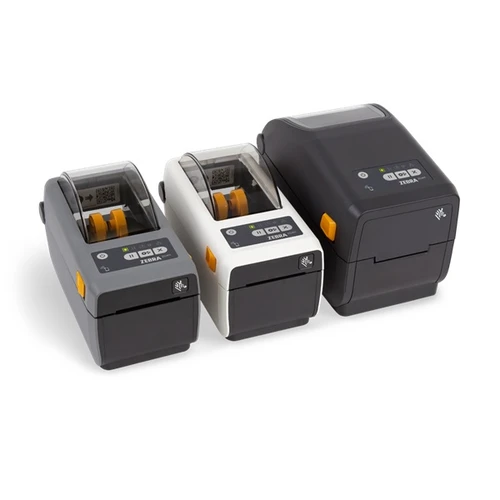
Zebra ZD411 2-Inch Direct Thermal Desktop Printer (203 dpi, USB/BTLE5)
Zebra
-
SKU:
ZD4A022-D0PM00EZ

FOUND A CHEAPER PRICE? *
Excl.GST:
$390.00
Incl.GST:
$429.00
- Warranty:
- 24 Month Warranty

Zebra · Direct Thermal Label Printer
Zebra ZD411 Direct Thermal Label Printer (Bluetooth, USB, Modular Slot)
A compact, newer-generation 2-inch desktop label printer that prints narrow labels with no ribbon, connects over USB and Bluetooth, and future-proofs your setup with a modular connectivity slot.
About the Zebra ZD411
At a glance
Print methodDirect thermal (no ribbon)
Print speedUp to 152mm/s (6 ips)
Resolution203 dpi
Max print width56mm (2.20 in)
InterfacesUSB & Bluetooth (BTLE5)
ExpansionModular connectivity slot
LanguagesZPL & EPL
Warranty24 Months Return to Base
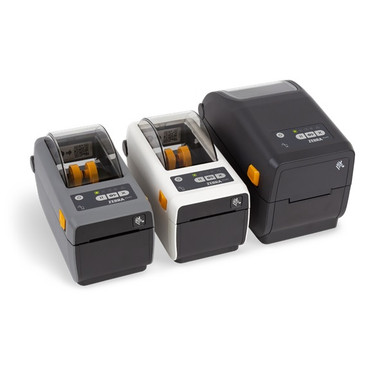
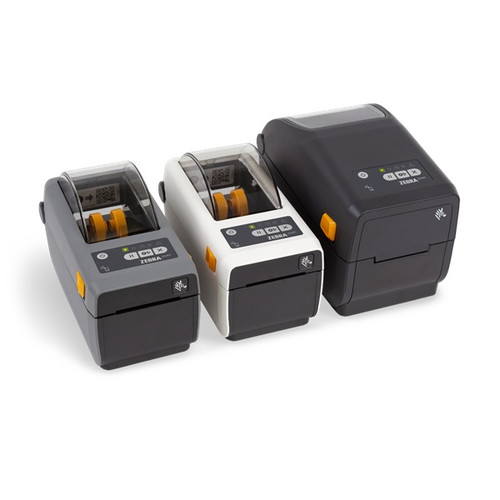
The Zebra ZD411 is a compact 2-inch desktop label printer from Zebra's newer-generation ZD400 series, built for businesses that print narrow labels and want a small, modern printer that can grow with them. This is the direct thermal model, which prints without a ribbon, so the only consumable you load is the label roll itself. That keeps running costs low and setup simple for short-to-medium-life labels.
It prints crisp text, barcodes and logos at 203 dpi and up to 152mm (6 inches) per second, across labels up to 56mm (2.20 in) wide. Zebra's OpenAccess design makes loading media quick and jam-free, while dual media sensors handle a range of label and tag stock. It speaks both ZPL and EPL, so it drops straight into existing Zebra label formats and barcode software.
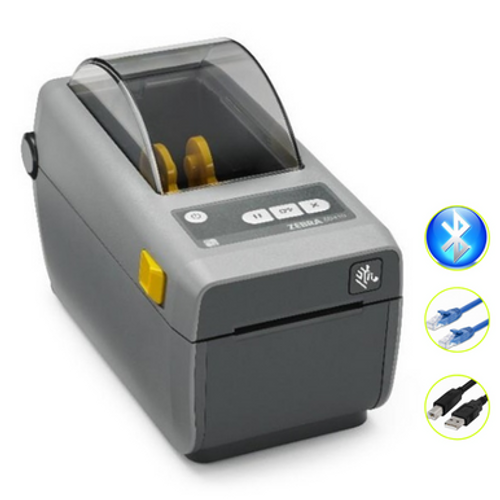
Connectivity covers USB and Bluetooth (BTLE5) out of the box, and a modular connectivity slot lets you add Ethernet or Wi-Fi later, so the printer can move from a single desk to a networked workflow without being replaced. It runs on the Link-OS platform with Zebra Print DNA and PrintSecure, is ENERGY STAR qualified, and is backed by a 24 Months Return to Base warranty.
Why choose the Zebra ZD411
No ribbon needed
Direct thermal printing uses label rolls only, keeping running costs low for short-life labels.
Direct thermal printing uses label rolls only, keeping running costs low for short-life labels.
Crisp 203 dpi
Sharp text, logos and scannable barcodes on every narrow label.
Sharp text, logos and scannable barcodes on every narrow label.
Fast 6 ips
Prints up to 152mm (6 inches) per second to keep labelling moving.
Prints up to 152mm (6 inches) per second to keep labelling moving.
USB & Bluetooth
Connect over USB or wirelessly with Bluetooth (BTLE5) straight out of the box.
Connect over USB or wirelessly with Bluetooth (BTLE5) straight out of the box.
Modular slot
Add Ethernet or Wi-Fi later to future-proof the printer as your needs change.
Add Ethernet or Wi-Fi later to future-proof the printer as your needs change.
Print DNA & secure
Link-OS, Print DNA and PrintSecure simplify setup, management and security in a compact footprint.
Link-OS, Print DNA and PrintSecure simplify setup, management and security in a compact footprint.
Where the ZD411 fits
Healthcare & wristbands
Print patient ID wristbands and healthcare labels on demand with a small, easy-to-place printer.
Product & barcode labels
Produce small product, price and barcode labels for shops, pharmacies and stockrooms.
Asset, inventory & badges
Run asset and inventory tags, name badges and visitor passes from narrow direct thermal stock.
How the ZD411 compares
The ZD411 is Zebra's newer-generation replacement for the popular ZD410, adding a modular connectivity slot and the Print DNA software suite while keeping the same compact 2-inch desktop form. This listing is the direct thermal version, which prints without a ribbon. A thermal transfer ZD411 is also available, which uses a ribbon to produce durable, long-life labels that resist fading. Both share the same 2-inch width, 203 dpi resolution, 6 ips speed, modular slot and Print DNA software, so the choice comes down to label life and running cost: choose the direct thermal ZD411 for the lowest running cost and short-life labels, or the thermal transfer ZD411 for hard-wearing, long-life labels. If you need wider labels, Zebra's 4-inch ZD420 and ZD421 are the step up.
| ZD411 Direct Thermal | ZD411 Thermal Transfer | |
|---|---|---|
| Print method | Direct thermal, no ribbon | Thermal transfer, ribbon |
| Running cost | Lowest, labels only | Labels plus ribbon |
| Label durability | Short-to-medium life | Long-life, fade-resistant |
| Connectivity | USB, Bluetooth, modular slot | Varies |
| Software | Print DNA, PrintSecure | Print DNA, PrintSecure |
Full specifications
| Model | Zebra ZD411 Direct Thermal |
| Print method | Direct thermal (no ribbon) |
| Resolution | 203 dpi |
| Max print speed | Up to 152 mm (6 in.) per second |
| Max print width | 56 mm (2.20 in.) |
| Print colour | Monochrome |
| Programming languages | ZPL and EPL |
| Interfaces | USB and Bluetooth (BTLE5) |
| Expansion | Modular connectivity slot (add Ethernet or Wi-Fi later) |
| Platform & software | Link-OS, Zebra Print DNA, PrintSecure |
| Energy rating | ENERGY STAR qualified |
| Warranty | 24 Months Return to Base |
| SKU | ZD4A022-D0PM00EZ |
This printer needs direct thermal label rolls to print.
Shop label rollsWhat's in the box
- Zebra ZD411 direct thermal label printer
- External power supply and cord
- USB cable
- Quick start guide
Direct thermal label rolls are sold separately so you can match the media to your application.
Zebra ZD411 FAQ
Is the ZD411 a 2-inch printer and what label width can it print?
Yes. The ZD411 is a 2-inch desktop label printer with a maximum print width of 56mm (2.20 in.). It is designed for narrow labels such as product, barcode and patient ID labels, rather than wide shipping labels.
Does this ZD411 need a ribbon?
No. This is the direct thermal model, so it prints using heat directly onto the label with no ribbon. You only load the label roll, which keeps running costs low. Direct thermal is best for short-to-medium-life labels.
What is the difference between the ZD411 and the older ZD410?
The ZD411 is Zebra's newer-generation replacement for the ZD410. It keeps the same compact 2-inch form but adds a modular connectivity slot and the Print DNA software suite, so it is easier to manage and can be expanded with Ethernet or Wi-Fi later.
What is the difference between the ZD411 direct thermal and thermal transfer versions?
The direct thermal ZD411 prints without a ribbon and suits short-to-medium-life labels at the lowest running cost. The thermal transfer ZD411 uses a ribbon to produce durable, long-life labels that resist fading. Both are 2-inch, 203 dpi, 6 ips printers with a modular slot and Print DNA software.
What is the modular connectivity slot for?
The modular slot lets you add network connectivity to the printer later, such as Ethernet or Wi-Fi, without replacing the unit. It future-proofs the ZD411 so it can move from a single desk to a networked setup as your needs grow.
Can it print patient ID wristbands and healthcare labels?
Yes. The ZD411 is well suited to patient ID wristbands and healthcare labels, as well as small product, asset and inventory labels, name badges and visitor passes.
What if I need wider labels?
The ZD411 is a 2-inch printer for narrow labels. If you need wider labels, such as 4-inch shipping labels, Zebra's 4-inch ZD420 and ZD421 desktop printers are the step up.
What warranty does it come with?
The Zebra ZD411 is backed by a 24 Months Return to Base warranty. If you have any questions about setup or media, contact our team on 1300 115 808.
Summary
Summary
The Zebra ZD411 Direct Thermal is a compact, newer-generation 2-inch desktop label printer for Australian healthcare, retail and office use, supplied here in the Bluetooth, USB and modular slot configuration. Printing without a ribbon, it produces crisp narrow labels at 203 dpi and up to 152mm (6 inches) per second across labels up to 56mm (2.20 in.) wide, which keeps running costs low for short-to-medium-life labels such as patient ID wristbands, product and barcode labels, asset tags and visitor passes. OpenAccess loading and dual media sensors make loading quick and reliable, while support for both ZPL and EPL means it drops straight into existing Zebra label formats and barcode software. USB and Bluetooth (BTLE5) are built in, and the modular connectivity slot lets you add Ethernet or Wi-Fi later to future-proof the printer. Running on Link-OS with Zebra Print DNA and PrintSecure, ENERGY STAR qualified and backed by a 24 Months Return to Base warranty, the ZD411 is the modern replacement for the ZD410, with a thermal transfer ZD411 available when you need durable, long-life labels and the 4-inch ZD420 and ZD421 ranges available when you need wider labels.
Manufacturer:
Zebra
Brand:
Zebra
Model:
ZD411
Resolution:
203 dpi
Print Width:
2-inch
Included Cables:
APAC Cord Bundle (EU, UK, AUS, JP)
Supported Languages:
EZPL
Included Fonts:
Swiss Font
Software:
Print DNA
Software:
PrintSecure
Interface:
Bluetooth
Interface:
Modular Connectivity Slot
Interface:
USB
Print Method:
Direct Thermal
Related Products

Zebra ZD411 2-Inch Direct Thermal Desktop Printer (203 dpi, USB, Wi-Fi, BT) - APAC Cord Bundle
Please Call for Availability
Excl.GST:
$571.82
Incl.GST:
$629.00
ZEBRA DESKTOP ZD411 203DPI DIRECT THERMAL BLUETOOTH/ETHERNET/USB
Choose Options
Excl.GST:
$517.27
Incl.GST:
$569.00

ZEBRA DESKTOP ZD411 300DPI DIRECT THERMAL BLUETOOTH /ETHERNET/USB
Please Call for Availability
Excl.GST:
$644.55
Incl.GST:
$709.00