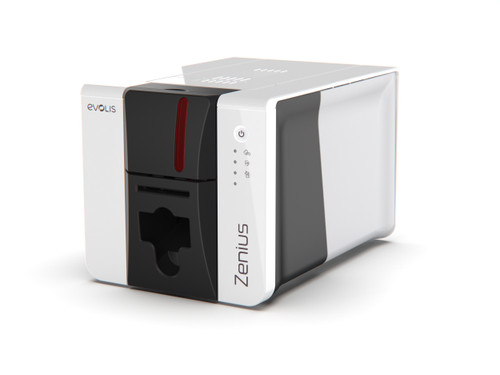
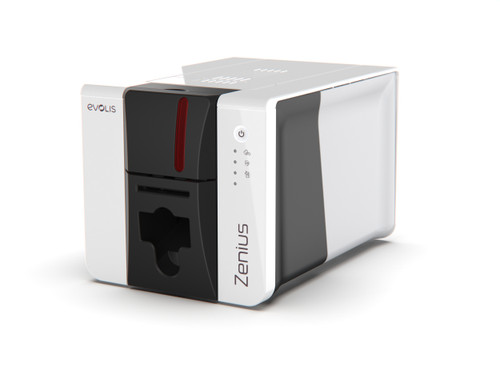
Empower your Australian business with the Evolis Zenius 2 Expert Complete Starter Package. This starter pack includes everything you need to start printing staff ID, visitor and membership cards in-house, without outsourcing.
Designed for small to medium card printing requirements, this compact and reliable ID card printer delivers consistent, high-quality results. Whether you need visitor badges, membership cards, loyalty cards, visitor badges or staff ID cards, this compact ID card printer starter bundle integrates effortlessly into your daily operations.
Key Features
- Single-sided D2T2 and rewrite printing technology
- Fast print speeds: up to 180 cards per hour in colour and 700 cards per hour in monochrome
- Dual connectivity options: USB and Ethernet
- Digital erasing functionality for enhanced security
- Durable print head with built-in protection
Benefits
- Maximized Efficiency: High-speed output ensures your business keeps moving without delays.
- Seamless Integration: The Evolis Premium Suite 2 driver makes setup and daily operation simple.
- Complete Turnkey Solution: Includes everything needed to start printing immediately, saving time and procurement effort.
- Peace of Mind: Backed by a comprehensive 3-year warranty for long-term reliability.
Specifications
- Printing Technology: D2T2 and rewrite
- Card Feeder Capacity: 50 cards
- Front Output Hopper: 25 cards
- Rear Input Hopper: 50 cards
- Colour Print Speed (Single-Sided): Up to 180 cards/hour
- Monochrome Print Speed (Single-Sided): Up to 700 cards/hour
- Connectivity: USB, Ethernet
- Card Design Software: ID-ALL Starter Edition (developed by CARDPRESSO)
- Warranty: 3 years
What's in the Box
- Evolis Zenius 2 Card Printer
- 1 x YMCKO full-colour ribbon (200 prints)
- 100 x blank white PVC cards
- ID-ALL starter activation software license
Who is this Evolis Zenius 2 Expert starter pack for?
- Small to medium Australian businesses needing in-house staff ID and visitor card printing.
- Schools, universities, and training centres issuing student, staff, and library cards on demand.
- Gyms, clubs, and member-based organisations producing membership and loyalty cards in-house.
- Healthcare clinics, pharmacies, and allied health practices managing patient and staff ID badges.
- Offices and reception areas that need a compact, network-ready ID card printer with a complete starter bundle.
FAQs
1. What is the print speed of the Evolis Zenius 2 Expert?
The Evolis Zenius 2 Expert can print up to 180 single-sided colour ID cards per hour and up to 700 monochrome cards per hour, making it ideal for low to medium print volumes in busy environments. This ensures you can quickly produce staff IDs, visitor badges and membership cards without long wait times.
2. Can this printer connect to my network?
Yes, the Zenius 2 Expert includes both USB and Ethernet connectivity, so you can connect it directly to a single PC or integrate it into your existing office or campus network. This flexibility makes it easy to share the printer between multiple users and locations.
3. Does the starter package include design software?
Yes, this starter package includes the ID-ALL Starter Edition card design software, developed by CARDPRESSO, so you can create and print professional ID and membership cards straight away. The software supports basic layouts, logos, photos and variable data, which is perfect for most small to medium organisations.
4. Is the printer capable of double-sided printing?
No, the Evolis Zenius 2 is designed specifically for highly efficient single-sided card printing. If you need double-sided cards, you can print the back in a separate pass or consider a duplex model such as the Evolis Primacy 2 range.
5. What is the warranty period for this printer?
The Evolis Zenius 2 Expert is backed by a 3-year return to base manufacturer warranty for added peace of mind. This covers the printer against defects under normal use when you follow Evolis’ recommended cleaning and maintenance schedule.
How to Use
To begin, simply connect the printer to your PC via USB or Ethernet and install the Evolis Premium Suite 2 driver. Load the included blank PVC cards into the 50-card rear input hopper and insert the YMCKO colour ribbon. Use the provided ID-ALL software to design your cards, then send them to print. For optimal performance and to maintain the 3-year warranty, ensure the printer is kept in a dust-free environment and clean the print head regularly using approved Evolis cleaning kits. Most users can set up and print their first cards in under 30 minutes.
The Evolis Zenius 2 Expert Complete Starter Package is a reliable, compact POS hardware solution tailored for Australian businesses. Featuring USB and Ethernet connectivity, fast single-sided printing, and a comprehensive bundle of consumables and software, it delivers efficient, high-quality ID and membership card production backed by a 3-year warranty.
Brand:
Evolis
Model:
Zenius 2 Expert
Card Feeder Capacity:
50 cards
Front Output Hopper:
25 cards
Rear Input Hopper:
50 cards
Colour Print Speed:
Up to 180 cards/hour
Monochrome Print Speed:
Up to 700 cards/hour
Digital Erasing:
Yes
Print Head Protection:
Yes
Card Design Software:
ID-ALL Starter Edition
Warranty:
3 years
Interface:
Ethernet
Interface:
USB
Print Method:
Dye Sublimation
Print Sides:
Single-Sided


 My Account